
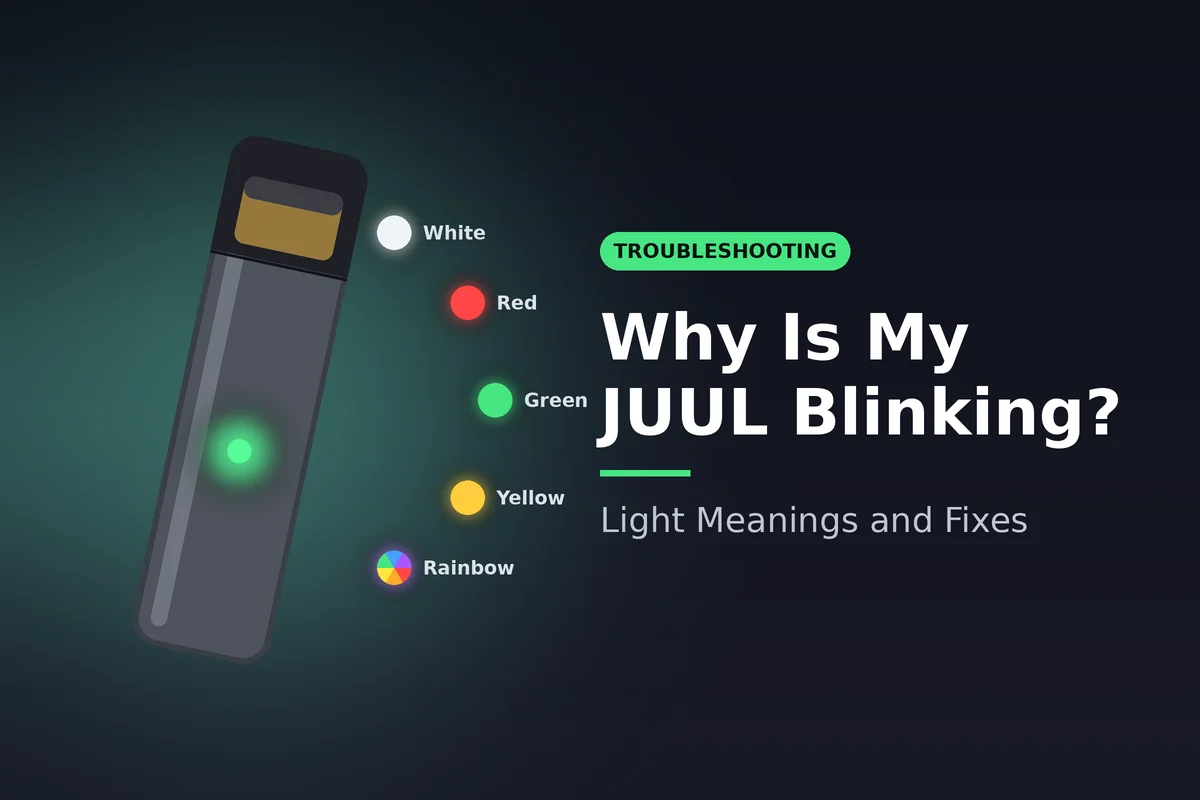
A blinking JUUL is a status report, not a death sentence. The light is telling you one of four things: the battery is low, the pod is not making contact, the device is charging, or it has hit a safety limit. The color and the number of blinks tell you which one.
Most blinking faults clear in under five minutes with a charge, a contact clean or a pod reseat. A few patterns point to a dead battery or a faulty device, and those need a replacement.
This guide covers the original JUUL device, the one that takes the 5% JUUL Virginia Tobacco and JUUL Menthol pods. JUUL2 uses a different light system, which we cover near the end.
Quick answer:
- Green, yellow or red after a puff: battery level. Green is high, yellow is medium, red is low.
- White while you draw: normal. The device is firing.
- Slow white pulse on the charger: normal. It is charging.
- Red blinks when you puff: battery too low to fire. Charge it for an hour.
- Green blinks 5 times on the charger: charging fault, usually dirty contacts.
- Yellow blinks 5 times: pod fault. Try a pod from a different pack.
- Rainbow: party mode. Harmless. Remove and reinsert the pod to clear it.
Why Is My JUUL Blinking? The Full Light Chart
The original JUUL has one small LED on the front of the device. It uses color, rhythm and blink count to report battery level, charging status and faults. Read the table first, then jump to the color you are seeing.
| Light | Pattern | What it means | First fix |
| Green | Solid for a few seconds after a puff or double tap | Battery above about 50% | Nothing. Keep using it |
| Yellow | Solid after a puff or double tap | Battery around 25% to 50% | Charge when convenient |
| Red | Solid after a puff or double tap | Battery under about 25% | Charge soon |
| Red | Rapid blinks when you draw | Battery too low to fire | Charge for a full hour |
| White | Lights while you draw | Normal firing | Nothing |
| White | Slow pulse on the charger | Charging in progress | Leave it on the dock |
| Green | Solid on the charger | Fully charged | Remove from the dock |
| Green | Fast blinks (often 5) on the charger | Charging fault or poor contact | Clean contacts, change USB port |
| Yellow | 5 blinks with a pod in | Pod fault | Try a pod from a different pack |
| Blue | 5 blinks (special edition colors) | Device fault | Contact JUUL support |
| Rainbow | Multicolor flashes after shaking | Party mode, a hidden animation | Remove and reinsert the pod |
| None | No light at all | Dead battery or dead device | Charge 1 hour, check the dock |
The battery thresholds above match the JUUL user guide published for NHS stop-smoking services: green means plenty of charge, yellow means 25% to 50%, and red means under 25%.
One thing the light never tells you is how much e-liquid is left. Green only describes the battery. To check the pod, hold it up to a light and look at the liquid line through the clear window.
JUUL Light Meanings by Color
Each color has a normal pattern and a fault pattern. Knowing the difference saves you from tossing a working device or a full pod.
JUUL Blinking White
White is the most common light and usually the least worrying. A short white glow while you inhale means the heating element is firing. That is normal operation.
A slow, steady white pulse while the device sits on the dock means it is charging. Leave it there until the light changes to solid green.
JUUL blinking white becomes a fault sign only when it flashes fast with no draw and no vapor follows. That usually points to a pod that is seated badly or contacts that are dirty. Pull the pod, wipe both sets of gold contacts with a dry cotton swab, and click the pod back in until it seats flush.
Why Is My JUUL Blinking Red After Every Puff?
JUUL blinking red almost always means low battery. A solid red glow after a puff means the battery is under about 25%. A run of rapid red blinks when you draw means the battery is too low to fire at all.
The fix is simple: put it on the charger for a full hour. A partial 10 minute charge often gives you a few puffs and then the red blinks return.
If the device still blinks red right after a full charge, check two things:
- Temperature. A JUUL left in a hot car or a freezing jacket pocket can refuse to fire. Let it sit at room temperature for 20 minutes.
- Battery age. The original JUUL has a sealed battery. After many months of daily charge cycles it holds less charge. Constant red after a full charge is a sign the device has reached the end of its life.
JUUL Blinking Green
Solid green after a puff is good news. The battery is above roughly 50%. Green also stays on for a few seconds when you tap the device twice to check charge, which is why some users see it light up in their pocket.
JUUL blinking green fast, usually five times, while on the charger is a different story. It signals that the device and dock are not talking properly. Clean the magnetic contacts on both the dock and the bottom of the device, try a different USB port or wall adapter, and seat the device again. If it keeps flashing, the dock or the device needs replacing.
JUUL Blinking Yellow or Blue
Solid yellow is a mid-level battery reading, around 25% to 50%. Five yellow blinks with a pod inserted point to a pod problem. Swap in a pod from a different pack. If the new pod works, the old pod is faulty. If every pod blinks yellow, the fault is in the device.
Five blue blinks appear on special edition colored devices. JUUL treats this as a device fault, so the next step is JUUL's own customer support rather than a home fix.
JUUL Blinking Rainbow (Party Mode)
JUUL blinking rainbow (party mode) is not a fault. Waving or shaking the device right after a puff can trigger a multicolor light show. JUUL Labs has never formally documented it, but the feature is well known among users.
It does not affect vapor, battery or pods. If it keeps triggering or seems stuck, remove the pod and reinsert it. That resets the light and ends the animation.
JUUL Blinking When Charging: What the Dock Lights Mean
JUUL blinking when charging is normal as long as the blink is a slow white pulse. That pulse continues until the battery is full, then the light turns solid green. A full charge from empty takes about an hour.
Reading the JUUL Battery Light Indicator
You do not need the charger to check battery level. Tap the side of the device twice, gently, and the JUUL battery light indicator shows one color:
| Color after double tap | Battery level | What to do |
| Green | Above about 50% | Use as normal |
| Yellow | About 25% to 50% | Plan a charge within the day |
| Red | Under about 25% | Charge now |
The same color also flashes briefly after each puff. If the double tap shows nothing, the battery is fully drained. Put it on the dock before trying anything else.
Why Is My JUUL Blinking on the Charger but Not Charging?
A fast green flash, a red flash, or no light at all on the dock means the charge is not getting through. Work through these in order:
- Reseat the device. The dock is magnetic. Lift the JUUL out, then let it click back in so the contacts line up.
- Clean the contacts. Lint and e-liquid build up on the device base and the dock pins. Wipe both with a dry cotton swab. Never use water.
- Change the power source. Try a different USB port or a wall adapter. Some laptop ports and hubs do not supply steady power.
- Try another dock. Docks fail more often than devices. A spare charger is the cheapest test there is.
- Check for leaks. E-liquid that has seeped into the device base can block charging. Pull the pod and dry the cavity.
The Starter Bundle ships with a fresh device and a USB dock, so it doubles as a spare charger if yours has died.
Charge safety matters too. The FDA's tips to help avoid vape battery fires or explosions advise using the charger made for your device, not leaving it charging unattended, and keeping it away from loose coins and keys. Stop charging right away if the JUUL gets hot, swells, smells odd or leaks.
Why Is My JUUL Blinking but Not Hitting?
JUUL not hitting but blinking is the complaint that sends most people searching. The light proves the battery has power, so the problem sits between the battery and the vapor. In order of likelihood, the cause is a drained battery that can light but not fire, a pod that is not connecting, a flooded or dry wick, or an empty pod.
If you are still asking why is my JUUL blinking after a full charge, the pod is the next suspect. Run these checks:
- Look at the liquid line. An empty pod can still blink white and give no vapor. Swap in a new pod.
- Tap out air bubbles. Remove the pod and tap it gently on a table, mouthpiece side up. This pushes bubbles away from the wick so it can soak again.
- Clear a flooded pod. A gurgling sound or a leak at the mouthpiece means liquid has pooled. Pull the pod, blow gently through the bottom vent into a tissue, then reinsert.
- Puff, do not drag. Long, hard pulls can flood the pod or trigger a cut-off. Short, gentle draws work best.
JUUL Pod Not Connecting: Contacts, Seating and Fit
A JUUL pod not connecting usually shows as a white flash with no vapor, or no response at all. The pod and device talk through two small gold contacts at the base of the pod. Check them first.
- Pull the pod and look at the gold tabs. They should sit slightly raised. Tabs pressed flat or bent inward will not touch the device.
- Wipe the tabs and the device cavity with a dry cotton swab to remove residue.
- Push the pod in until you hear the click. A half-seated pod is the most common cause of a connection fault.
- Test a pod from a different pack. If the new pod works, the old one is faulty.
Fit matters as much as cleanliness. The original JUUL only accepts original JUULpods. JUUL2 pods are a different shape and will not connect at all. Our breakdown of JUUL vs JUUL2 differences and pod compatibility shows how to tell the two apart before you open a pack.
Counterfeit and third-party pods are another common culprit. They often have poorly shaped contacts that trigger connection errors. Authentic pods in the JUUL Virginia Tobacco Pods 4-Pack and JUUL Menthol Pods 4-Pack are the cleanest way to rule this out.
How to Reset a JUUL
The original JUUL has no reset button and no app. How to reset a JUUL comes down to clearing its power state so the chip re-reads the pod and battery:
- Remove the pod.
- Place the device on the dock and charge it for a full hour, until the light turns solid green.
- Lift it off the dock and wait 30 seconds.
- Clean the pod contacts and the device cavity.
- Click the pod back in and take a short, gentle puff.
This sequence clears rainbow party mode, most pod recognition errors and the false red blinks that follow a deep drain. If the device still will not fire with a fresh pod and a full charge, the device itself has failed.
Original JUUL vs JUUL2 Lights
Everything above applies to the original JUUL. JUUL2 is a separate system with a redesigned device, its own pods at 1.6% nicotine and different light behavior. Do not apply the original color chart to a JUUL2, and do not try to force original pods into it.
Both systems are legal for adult sale in the US. The original JUUL and its Virginia Tobacco and Menthol pods received FDA marketing authorization in July 2025, and JUUL2 followed in August 2026. The full JUUL legal timeline covers each decision.
When to Replace the Device or the Pods
Some blink patterns cannot be fixed at home. Use this as your cut-off point:
| Symptom | Replace |
| Yellow blinks with one pod only | That pod |
| Yellow blinks with every pod | The device |
| Constant red after a full 1 hour charge | The device (battery is worn out) |
| Fast green blinks on every dock and port | The device |
| Fast green blinks on one dock only | The dock |
| Blue blinks on a special edition device | Contact JUUL support |
| No light after cleaning and charging | The device |
Pods are the cheap fix, so always rule them out first. A single 4-pack of JUUL Menthol pods costs far less than a new device. Regular users who go through a pod a day save more per pod with the bulk JUUL pods Box of 8, which holds 32 pods.
If the device has failed, the JUUL Starter Kit pairs a new device and USB dock with a Box of 8 in either flavor. The full range of devices and pods sits on the JUUL brand page, alongside other closed systems in our pods collection.
Frequently Asked Questions
What does it mean when my JUUL blinks 5 times?
It depends on the color. Five green blinks on the charger mean a charging fault. Five yellow blinks mean a pod fault. Five blue blinks on a special edition device mean a device fault that needs JUUL support.
Does the JUUL light show how much liquid is left?
No. The light only reports battery level and faults. Check the liquid line through the clear window on the pod.
How long does a JUUL take to charge?
About an hour from empty. The light pulses white while charging and turns solid green when full.
Can a dirty JUUL cause blinking?
Yes. Residue on the pod contacts or the charging contacts is one of the most common causes of fault blinks. A dry cotton swab fixes most cases.
Is party mode bad for my JUUL?
No. The rainbow light show does not drain the battery in any meaningful way or damage the pod. Reinsert the pod to stop it.
Why does my JUUL light up in my pocket?
Pressure or movement can register as a double tap and trigger the battery check light. It is harmless.
Summary
Why is my JUUL blinking? In most cases, the battery is low, the pod is not seated, the contacts are dirty, or the device is simply charging. Green, yellow and red after a puff show battery level. A slow white pulse on the dock is a normal charge. Fast blinks point to a fault, and the color tells you whether it sits in the pod, the dock or the device.
Charge for a full hour, clean both sets of contacts and reseat the pod before you replace anything. If the fault survives all three, swap the pod first, then the device.
This product contains nicotine. Nicotine is an addictive chemical. For adults 21 and over only.
What did you think?
Share this article
Help others discover this content by sharing it with your network.